mini-blog · devlog · workshop
Odds and ends
Small tools, helpers, scripts, prototypes, quick notes and download links whenever there is something to try.
 KATEOS V1 Development Log
A look back at the first version of Kateos.pro: a simple, manageable foundation designed to evolve without having to rebuild everything later.
Read / expand
Why build this first version?
For the first version of Kateos.pro, the goal was not to build a large platform straight away.
I first wanted a clean and usable foundation: a showcase for my projects, a place to publish notes and experiments, and most importantly an administration interface allowing the content to evolve without redeploying the website every time something changes.
Keeping the foundation simple
The website was therefore kept separate from my other projects, with its own application, database and configuration.
The idea is to let KATEOS evolve progressively: add new projects, publish devlogs, experiment with small tools and collect ideas without turning the first version into an unnecessarily complex platform.
This first version mainly serves as a foundation for what comes next.
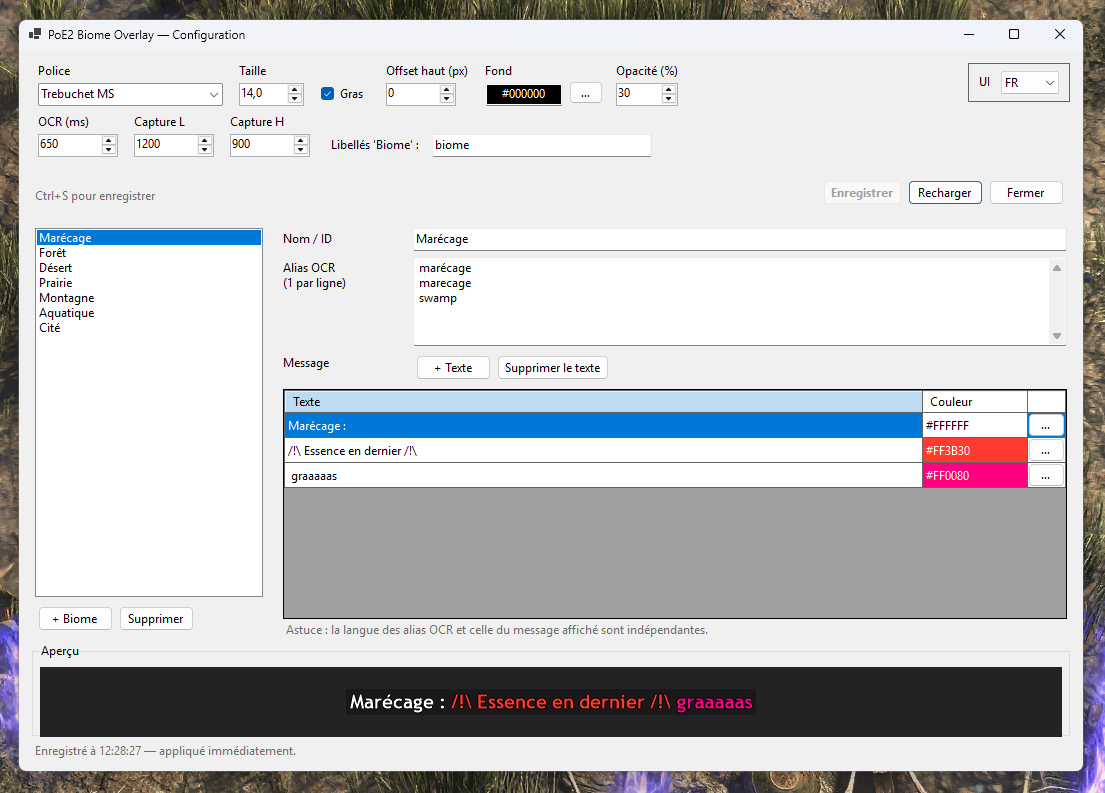 PoE2 Biome Overlay
A Path of Exile 2 helper that detects the biome currently hovered in the Atlas and automatically displays a custom reminder directly on top of the game.
Read / expand
The problem to solve
The Path of Exile 2 Atlas contains many different areas, mechanics and strategies.
Depending on the biome, I wanted a quick way to remember certain things before entering the area: an objective to complete first, a mechanic to leave until the end, a particular danger or simply a note related to my current strategy.
Instead of keeping those notes outside the game, I built a small overlay capable of automatically displaying the right reminder at the right time.
Biome detection
Before placing tablets, I simply hover the mouse over an area of the Atlas.
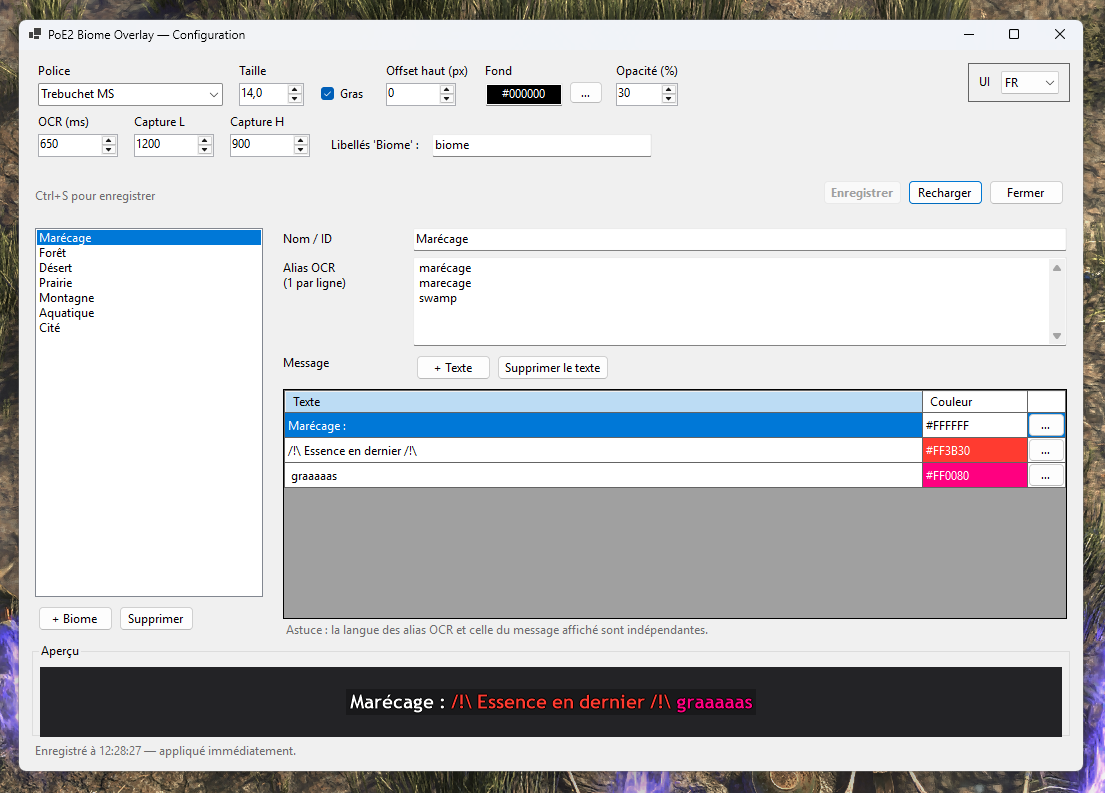
The helper analyses the information displayed on screen and identifies the biome by its name. Multiple OCR aliases can be configured for each biome to make detection more tolerant.
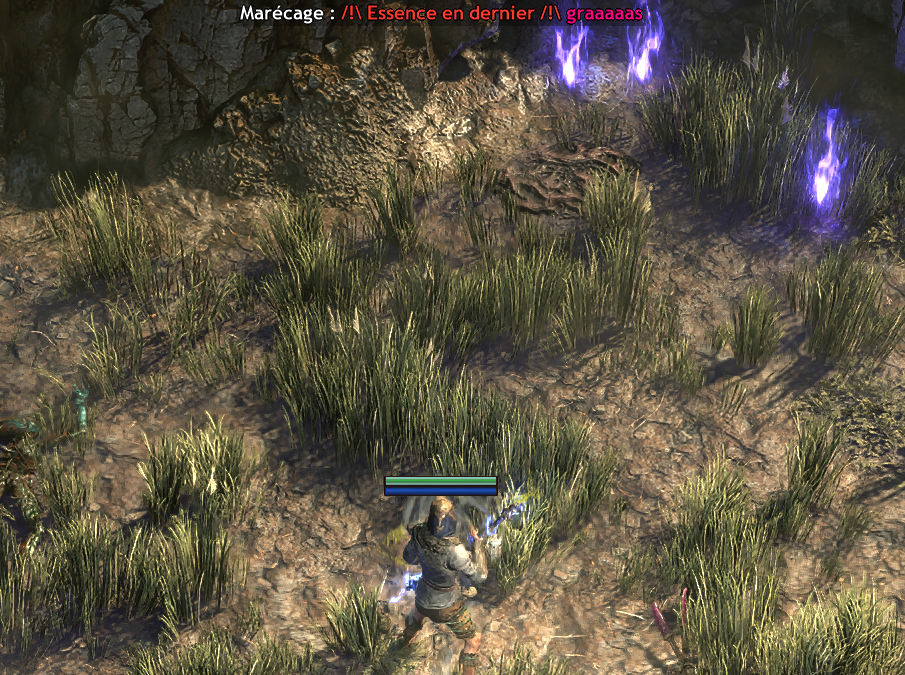
Once the biome is recognised, the associated message is displayed directly at the top of the game.
Fully customisable reminders
Each biome can have its own message made up of several lines and colours.
For example:
- remember a mechanic that should be completed last;
- highlight a particular danger;
- indicate an order to follow;
- display information related to a specific strategy.
The tool also allows the font, size, bold style, overlay position, background and opacity to be configured.
The goal was simply to have the right information visible at the right time without interrupting the game to check notes elsewhere.